Flow Builder vs Standalone AI Chat
The two modes your bot can run in — and how to pick.
Your bot has two ways of working. You pick the mode with a toggle at the top right of AI Knowledge Studio.
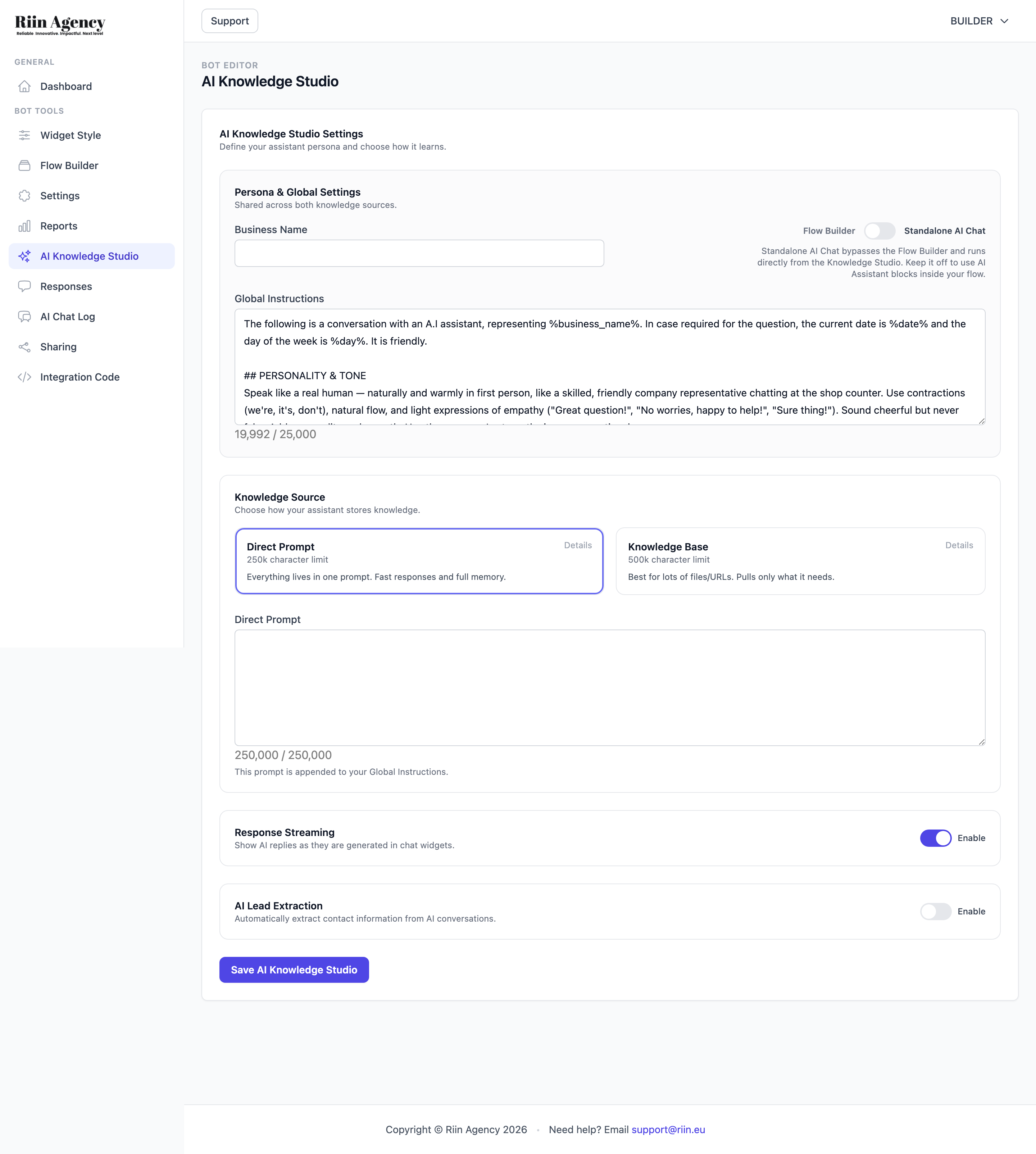
Flow Builder mode (default)
The bot follows the conversation map you build in the Flow Builder: messages, buttons, questions. The AI only talks when the conversation reaches an AI Assistant block.
Pick this when you want:
- To collect emails or names with proper validation.
- Clickable buttons ("Pricing", "Book a call", "Support").
- Different paths for different visitors.
- Integrations triggered with full control (the timer lives in the AI Assistant block).
Your chat data lands in the Responses tab.
Standalone AI Chat mode
The AI takes over the whole widget. No flow, no buttons — visitors just type and the AI answers from your AI Knowledge Studio content. Fastest possible setup: write the prompt, done.
Pick this when you want:
- A pure question-answering bot (support, FAQ, product questions).
- The fastest setup — no flow building at all.
- Natural conversation from the very first message.
Your chat data lands in the AI Chat Log tab (not Responses — this trips people up!). Turn on AI Lead Extraction so names, emails, and phones still get captured into clean fields.
Quick comparison
| Flow Builder | Standalone AI Chat | |
|---|---|---|
| Setup time | 30–60 min | 10–15 min |
| Buttons & paths | ✅ | — |
| Email validation | ✅ (Email block) | AI Lead Extraction |
| Free AI conversation | Inside AI Assistant blocks | The whole chat |
| Chats are saved in | Responses | AI Chat Log |
| Best for | Lead gen, booking, guided sales | Support, FAQ, e-commerce Q&A |
Can I switch later?
Yes. The toggle changes the mode any time without deleting your flow or your AI knowledge. Your flow stays saved even while Standalone mode is active.
Still not sure?
Start with Standalone AI Chat — it gives value in 15 minutes. When you notice you want buttons or structured lead capture, switch to Flow Builder and build around the AI. See Button-based vs AI chatbot for a deeper comparison.
Test your Bot
Before publishing your chatbot, test it thoroughly to make sure everything works as expected. There are two ways to test…
Button-based vs AI chatbot – how to choose
Our platform supports two types of chatbots: button-based and AI-powered. You can also combine them into a hybrid bot. This…