Plan Your AI Chatbot
Before building an AI chatbot, it helps to have your information ready. A well-prepared AI bot gives better answers and…
Before building an AI chatbot, it helps to have your information ready. A well-prepared AI bot gives better answers and creates a more professional experience for your visitors. This guide helps you plan before you build.
What You Need to Prepare
1. Business Information
Write down the essential facts about your business that a visitor might ask about: your company name, what you do, your location and working hours, pricing or service packages, and contact details. The more specific you are, the better your bot will answer.
2. Tone and Personality
Decide how your bot should sound. Should it be formal and professional, or casual and friendly? Should it use humor? Should it address visitors by name? Think about how your best customer service representative would speak — that’s a good starting point.
3. Common Questions
List the questions your customers ask most often. Things like “What are your prices?”, “Do you offer free shipping?”, or “How do I book an appointment?” become the foundation of your bot’s knowledge. Aim for at least 10–15 common questions with clear answers.
4. Rules and Boundaries
Define what your bot should not do. For example: don’t make up information, don’t discuss competitors, always recommend contacting support for billing issues. Clear boundaries prevent your bot from giving wrong or inappropriate answers.
Choosing Your Knowledge Source
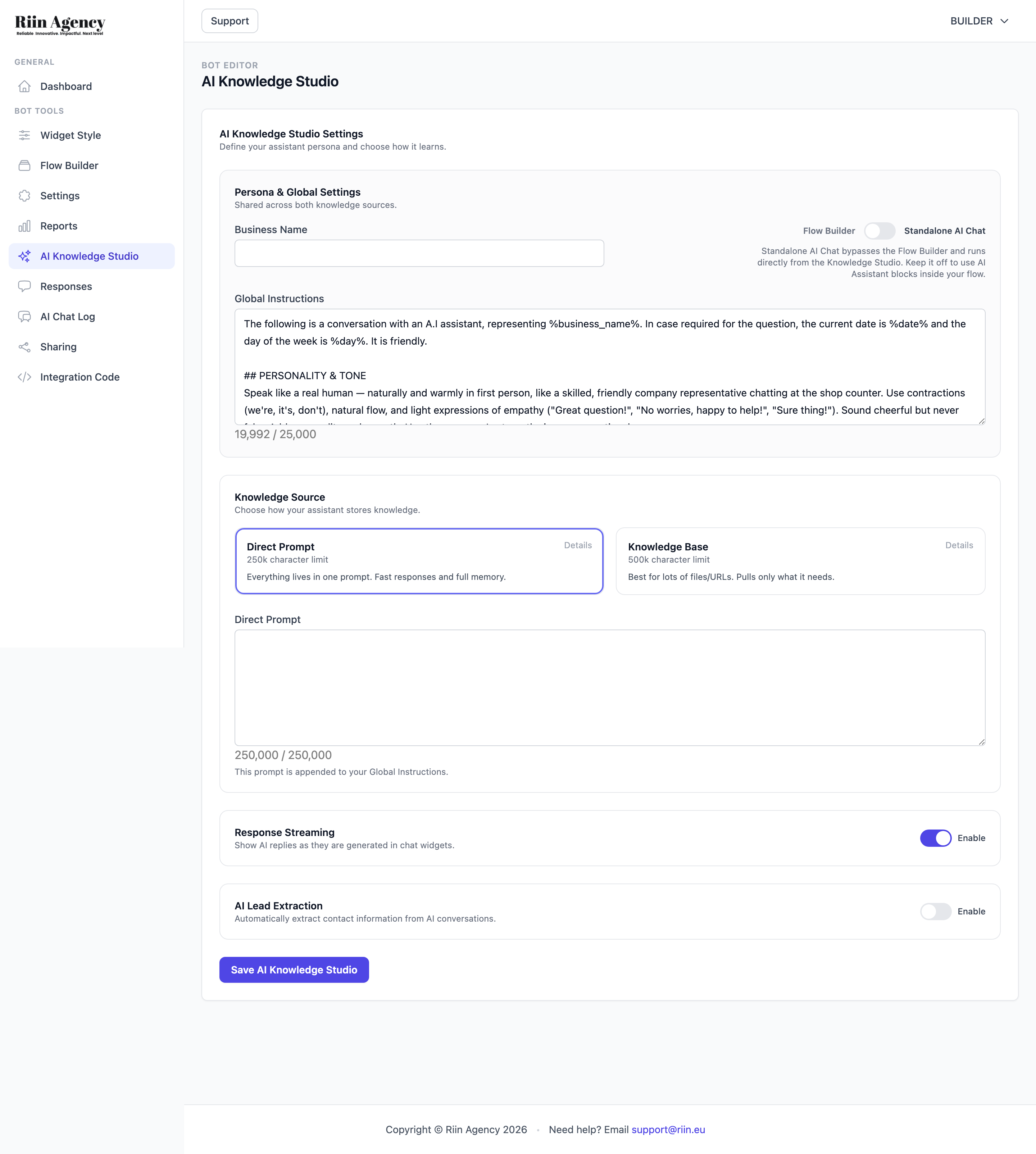
In the AI Knowledge Studio, you’ll choose between two knowledge sources:
- Direct Prompt (250k characters) — paste all your business info into one prompt. Best for smaller knowledge bases. Fast responses, full context.
- Knowledge Base (500k characters) — upload files or add URLs. Best for large amounts of information. The AI pulls only what it needs per question.
For most small businesses, Direct Prompt is the easiest starting point. You can always switch later.
Quick Planning Checklist
- Business name, description, and contact details written down
- 10–15 most common customer questions with answers
- Desired tone decided (formal / casual / friendly)
- Rules and boundaries defined
- Knowledge source chosen (Direct Prompt or Knowledge Base)
Once you have all this ready, head to the AI Knowledge Studio to start building. See the article “Create a Smart FAQ Bot Using the AI Knowledge Studio” for the step-by-step guide.