AI Mode Explanation
The AI Knowledge Studio is where you give your chatbot its brain. Here you define its personality, provide it with…
The AI Knowledge Studio is where you give your chatbot its brain. Here you define its personality, provide it with knowledge, and choose how it interacts with visitors. This guide explains every section of the AI Knowledge Studio.
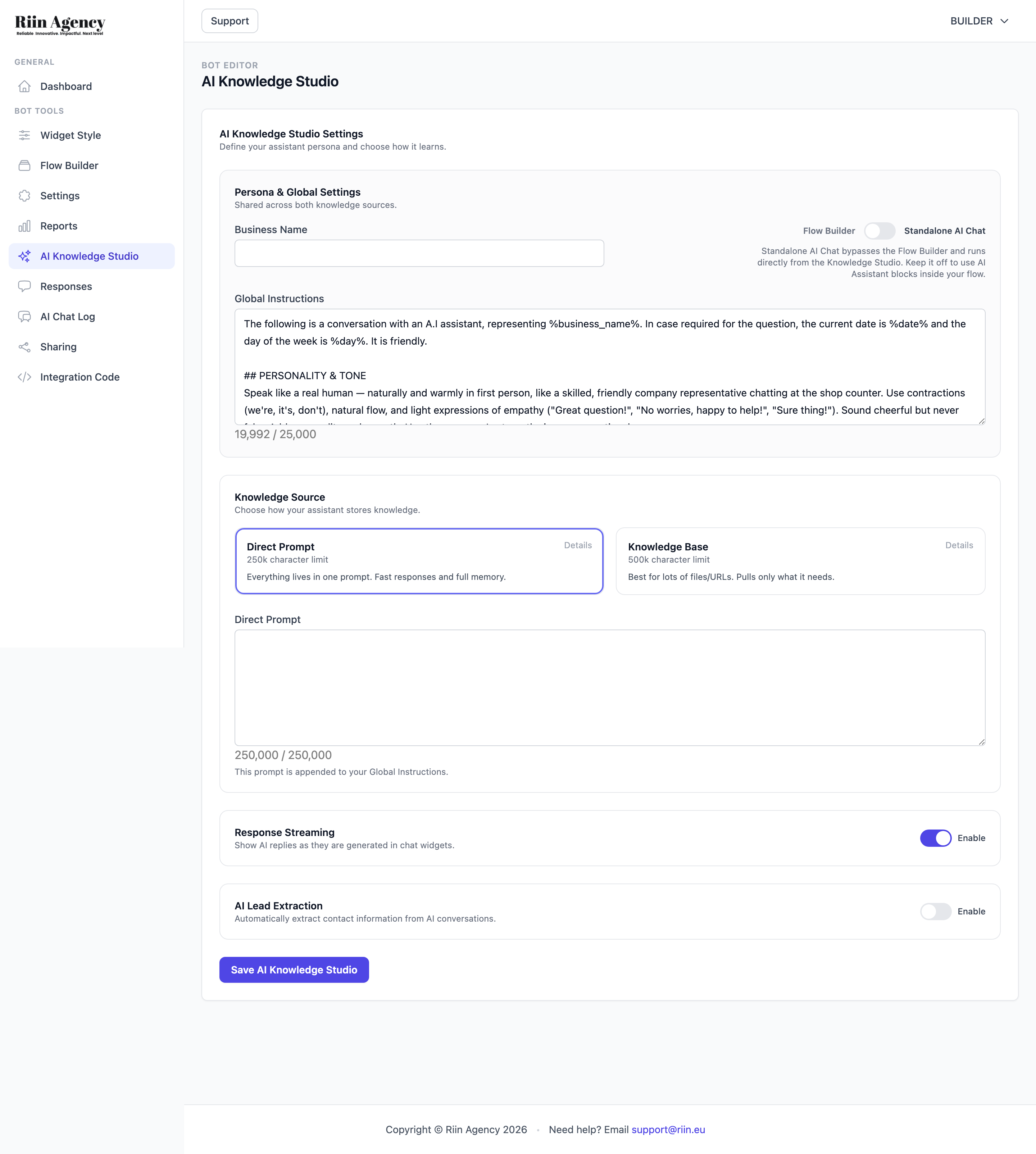
Standalone AI Chat vs. Flow Builder
At the top, a toggle lets you choose how your AI bot operates:
- Standalone AI Chat (ON) — the simplest option. The AI talks directly with visitors using only the knowledge you provide here. No flow building needed. Best for FAQ bots, customer support, and information-heavy use cases.
- Flow Builder (OFF) — use AI as part of a structured conversation. You can place an AI Assistant block inside your flow to call the AI at specific points. Best for hybrid bots that combine buttons with AI intelligence.
Persona & Global Settings
This section controls your bot’s identity and behavior across all knowledge sources.
- Business Name — your company or brand name. The AI uses this when referring to your business.
- Global Instructions — the master prompt that defines your bot’s personality, tone, and rules. This is where you tell the AI how to behave: be friendly, be formal, don’t make up information, always suggest contacting support for billing questions, etc. You have up to 25,000 characters.
The Global Instructions are the most important part — they shape every response your bot gives. Spend time getting these right.
Knowledge Source
Choose how your AI stores and retrieves information:
- Direct Prompt (250k character limit) — everything lives in one prompt. The AI has full context of all your information for every answer. Fast and simple. Best for smaller knowledge bases.
- Knowledge Base (500k character limit) — upload files (PDF, TXT, DOCX) or add URLs. The AI searches through your documents and pulls only what it needs per question. Best for large amounts of information like product catalogs or extensive documentation.
AI Lead Extraction
When enabled, the AI automatically detects and saves contact information (name, email, phone) that visitors share during the conversation. This means you can collect leads without adding explicit form fields — the AI does it naturally as part of the chat.
Tips
- Start with Standalone AI Chat + Direct Prompt — it’s the fastest way to get an AI bot running.
- Write your Global Instructions as if you’re training a new employee. Be specific about what they should and shouldn’t say.
- Enable AI Lead Extraction if you want to capture contact details without interrupting the conversation flow.
- Test thoroughly after making changes — small prompt tweaks can significantly change bot behavior.