View your leads and responses
Your bot collects data in two places depending on how it's set up. Responses stores data from Flow Builder interactions…
Your bot collects data in two places depending on how it’s set up. Responses stores data from Flow Builder interactions (button clicks, form submissions), while AI Chat Log stores conversations from AI-powered chats.
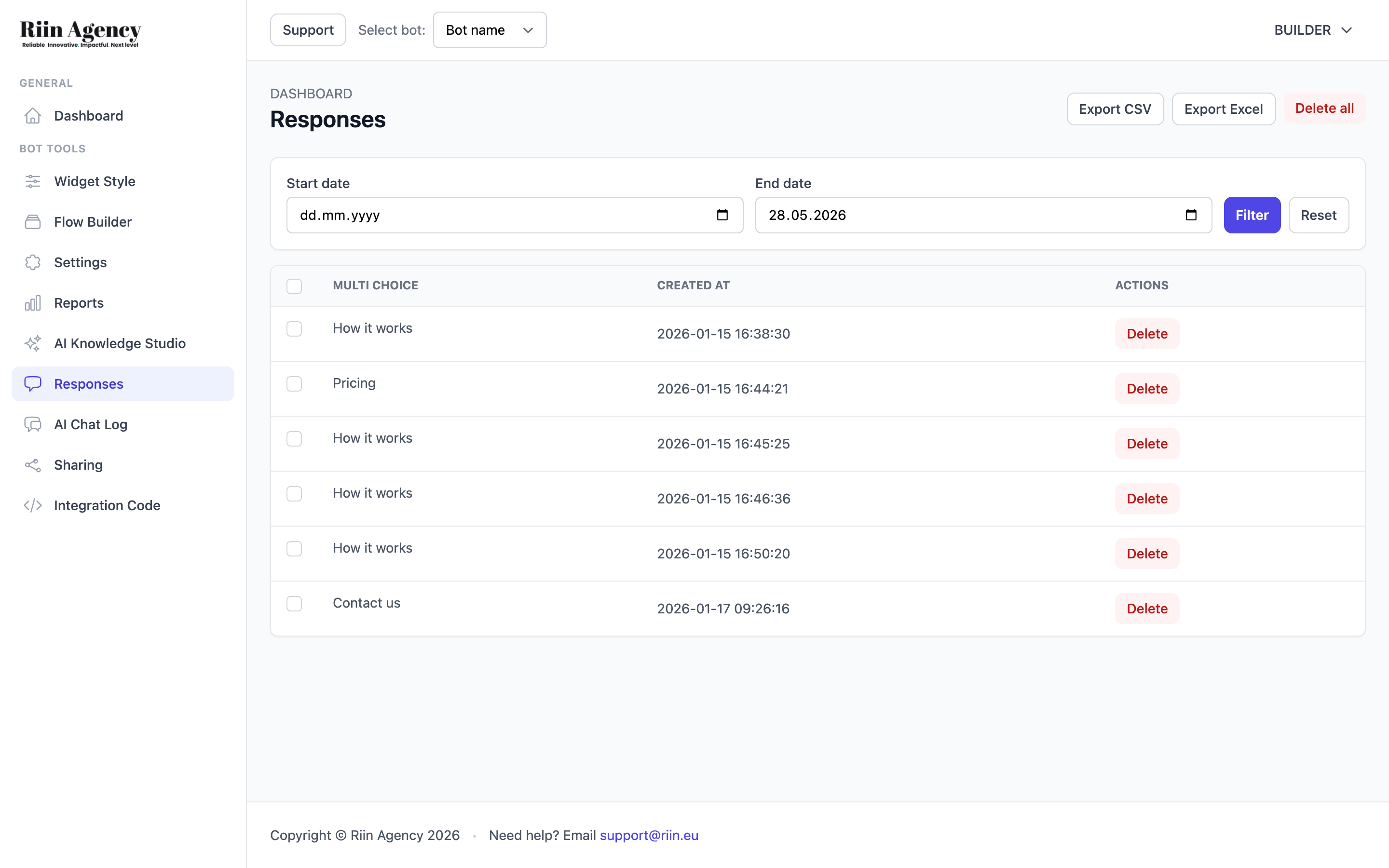
Responses — Flow Builder Data
Click Responses in the sidebar to see data collected through your Flow Builder blocks (Multi Choice selections, email addresses, questions, etc.). The page shows:
- A date filter (Start date / End date) with Filter and Reset buttons to narrow down results by time period.
- A table showing each response with the data collected (e.g., which Multi Choice option the visitor selected) and a timestamp.
- Export CSV and Export Excel buttons to download all your response data for use in spreadsheets or CRM tools.
- A Delete button next to each response, and a Delete all option at the top.
The table columns depend on the blocks in your flow. For example, if your flow includes a Multi Choice block and an Email block, you’ll see columns for each of those data points.
AI Chat Log — AI Conversation History
Click AI Chat Log in the sidebar to see conversations from your AI-powered bot. This shows:
- A date filter to narrow down conversations by time period.
- A Chat List showing conversations with the ability to view details.
- An Export Logs button to download all AI chat logs.
Important: Where your data appears depends on your bot’s mode:
- If you use Standalone AI Chat, conversations appear only in AI Chat Log.
- If you use Flow Builder with an AI Assistant block, button/form data appears in Responses, and the AI conversation portion appears in the AI assistant column within Responses.
Using This Data
- Improve your bot: Review AI Chat Logs to spot questions your bot struggles with, then update your prompt or knowledge source.
- Identify trends: Look at common questions or choices to understand what your visitors care about most.
- Follow up on leads: Export responses regularly and import them into your CRM or email marketing tool.