Troubleshooting
Quick fixes for the most common bot issues.
Something not working? Try these first.
My bot isn't showing on my website
Check in this order:
- Is the bot Enabled? Go to Settings → General → Status. Set to Enabled.
- Is your domain on the whitelist? Settings → General → Domain whitelist. Add your domain. Remove
www.if you have it.
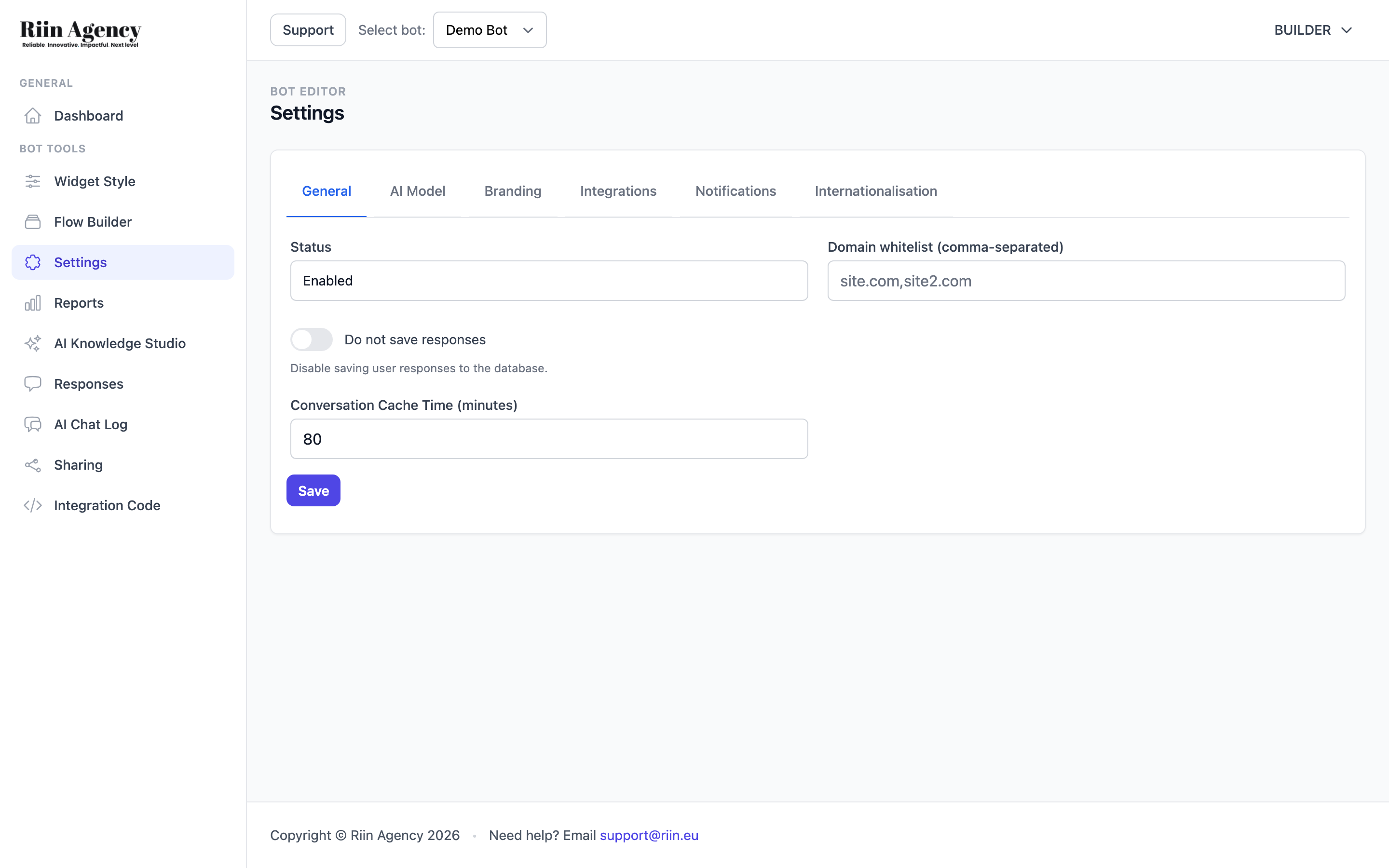 3. Did you paste the script in the right place? It must be just before
 </body>, not inside <head>.
4. Hard refresh your browser. Cmd+Shift+R (Mac) or Ctrl+Shift+R (Windows). Caching is the usual culprit.
5. Check the browser console. Press F12 → Console. Any red errors mentioning bot.riin.eu? That's a clue.
Knowledge Base isn't picking up my new content
After adding files or URLs, you must click Sync Knowledge Base. Without sync, the new content is ignored.
If you sync and it still doesn't work:
- Check the Storage used — you may be over the 500,000 character limit.
- Delete pages like "cart", "checkout", "privacy policy" — they pollute the bot's knowledge.
- PDF is the most reliable file format. If a TXT or DOCX file isn't working, try the same content as PDF.
I'm not getting email notifications
- Settings → Notifications → Email for notifications. Is your email there?
- Check spam.
- AI Assistant block in your flow: is the "Send AI chat log to enable integrations after" timer set? If blank, no chat is logged.
The bot's answers are wrong or out of date
The bot only knows what you put in AI Knowledge Studio. If a price changed or a campaign ended, update the Direct Prompt or sync the Knowledge Base again.
Tip: Once a month, scan your Direct Prompt for "Black Friday" or other old campaigns. Outdated promos are worse than no promo.
GDPR — is my customers' data safe?
Yes. We store chat data on EU servers (Aminos infrastructure). Your customers can ask you to delete their data at any time — you can delete from the Responses or AI Chat Log tabs. Toggle Do not save responses in Settings → General if you want zero storage.
Still stuck?
Email support@riin.eu with:
- Your bot ID (visible on the dashboard).
- A screenshot of the issue.
- What you expected vs what happened.
A real human will answer.
Example AI Prompt for Service Businesses
This is a beginner-friendly starter prompt you can copy and adapt for your own service business chatbot. Replace the parts…
Troubleshoot: bot not appearing
If your chatbot isn't showing up on your website after adding the embed code, don't worry — it's usually one…