Create lead generation chatbot
This tutorial shows you how to build a button-based chatbot that qualifies visitors and collects their contact information. By the…
This tutorial shows you how to build a button-based chatbot that qualifies visitors and collects their contact information. By the end, you’ll have a working lead generation bot.
Step 1: Create a New Bot
Go to the Dashboard, click + New Bot, name it (e.g., “Lead Generator”), and click Create.
Step 2: Open the Flow Builder
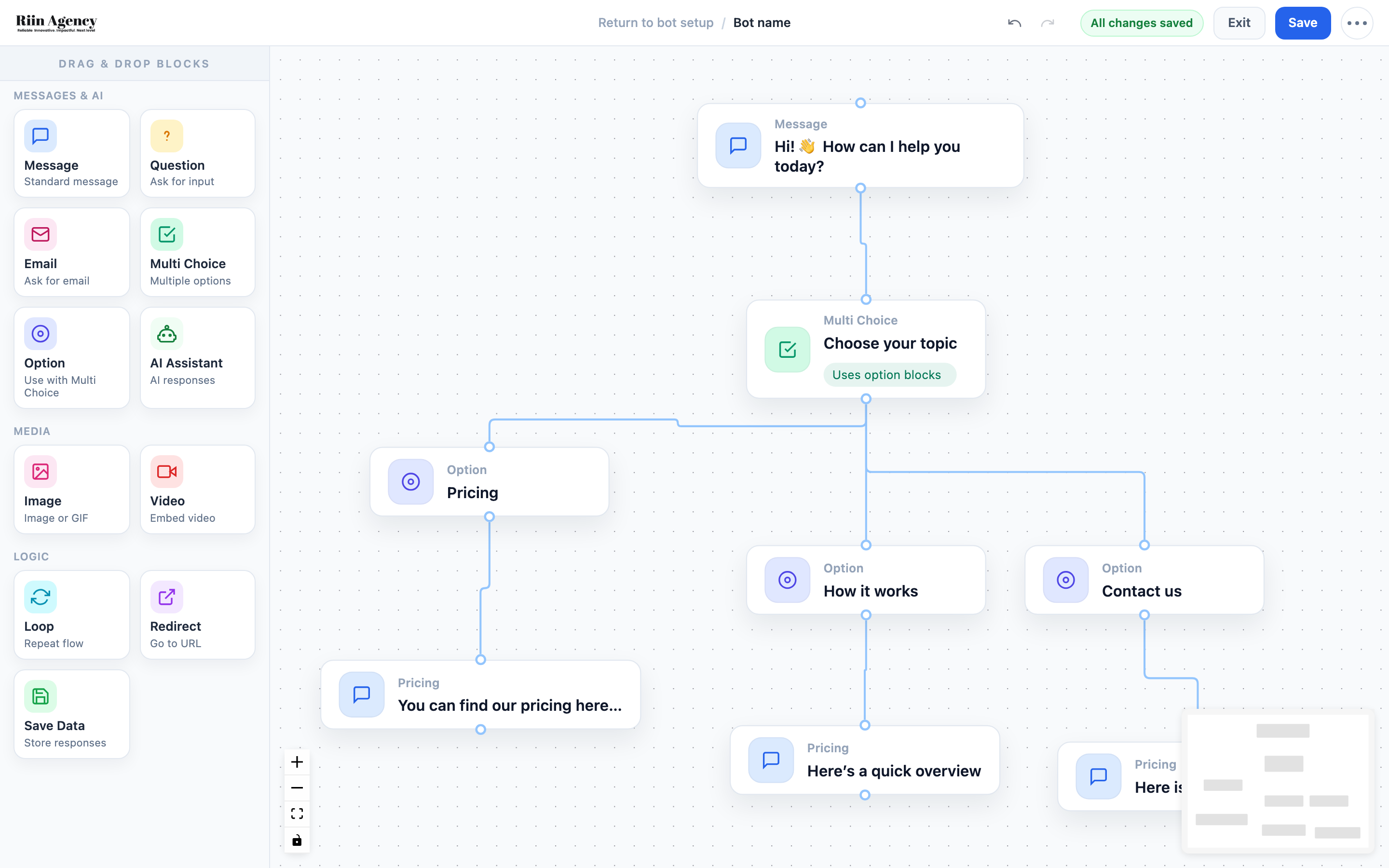
Click Flow Builder in the sidebar. You’ll see the block panel on the left and an empty canvas.
Step 3: Add a Welcome Message
Drag a Message block onto the canvas. Double-click it and type a friendly welcome, like: “Hi there! I’d love to help you find the right solution. Let me ask a couple of quick questions.”
Step 4: Add a Multi Choice Block
Drag a Multi Choice block and connect it below the message. Set the question to something like: “What are you looking for?” Then add Option blocks for each choice, e.g., “Pricing info”, “Book a demo”, “General question”.
Step 5: Add Response Messages
Connect a Message block to each Option. For example, under “Pricing info”, add: “Great choice! Our plans start at $XX/month. Let me get your details so we can send you a personalized quote.”
Step 6: Collect Contact Information
After each response, add a Question block asking for their name, then an Email block for their email. The Email block automatically validates the format.
Step 7: Add a Thank You Message
End each path with a Message block: “Thanks, [name]! We’ll reach out to you shortly at [email]. Have a great day!”
Use variables like {name} and {email} to personalize the message with the data you just collected.
Step 8: Save and Test
Click Save, then use Preview to test the full flow. Walk through every path and make sure all messages display correctly and data is captured.
Step 9: Set Up the Widget
Go to Widget Style and set an engaging welcome message and call-to-action. Something like “Got questions? Chat with us!” works well to encourage clicks.
Step 10: Embed and Go Live
Copy the embed code from Integration Code and add it to your website. Your lead generation bot is now live and collecting leads 24/7!
Tips for Better Lead Generation
- Keep the flow short — 3 to 5 steps maximum before asking for contact info
- Offer value first (pricing, info, demo) before asking for their email
- Use a friendly, conversational tone — not a form-filling experience
- Set up an integration (Settings → Integrations) to send leads directly to your CRM or email tool